Ezender Guardian Defense Arcade
Reviews
Description
Game Introduction
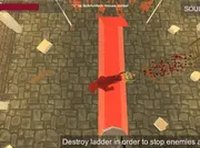
Ezender Guardian Defense Arcade is a free browser-based action strategy game where you assume the role of a guardian protecting ancient mines within a mountain fortress. When explorers awaken you while searching for treasure, your duty is to defend the hidden secrets of the fortress. Designed for desktop play, this game runs directly in your browser with no downloads required. Full screen mode allows you to focus completely on your defensive strategy. The game offers a unique blend of defense and strategy, making it a great choice for quick gaming sessions. The core objective is to prevent intruders from disturbing the ancient secrets you are sworn to protect. What makes this game unique is its straightforward approach to defense mechanics, allowing players to jump into action without complex tutorials. The setting of a mountain fortress with ancient mines provides a thematic backdrop that enhances the gameplay experience. Players can enjoy this game during short breaks or longer sessions, as the controls and pacing are designed for accessibility. The game is optimized for desktop computers, ensuring smooth performance and responsive interactions. Whether you are a fan of strategy games or looking for a casual defense experience, Ezender Guardian Defense Arcade offers an engaging way to pass the time.
How to Play
To play Ezender Guardian Defense Arcade, you use your keyboard and mouse on a desktop computer. The controls are intuitive, allowing you to navigate the mine and defend against intruders. Your goal is to protect the ancient fortress from those who seek to disturb its secrets. The game runs smoothly in your browser, and you can toggle full screen mode for a more focused experience. There are no complex setups—just load the game and start defending. For best results, play on a computer with a stable internet connection. Players typically move their character using keyboard keys and interact with the environment using the mouse. The game presents waves of explorers that you must repel using the tools and abilities available to you. As you progress, the challenges may increase, requiring you to adapt your strategy. The game provides visual cues to help you anticipate where intruders will appear, allowing you to position yourself effectively. The simplicity of the controls means you can focus on the strategic aspects of defense rather than memorizing complex button combinations.
Game Features
Game features include a defense strategy focus, browser-based play for instant access, and full screen mode for immersion. The game is free to play with no downloads needed. It is optimized for desktop computers and offers a straightforward gaming experience. The intuitive controls make it easy for new players to start playing immediately. The game may include various levels or waves that increase in difficulty over time. The setting of ancient mines and a mountain fortress provides a distinctive atmosphere. The game is designed to be played in short sessions, making it ideal for quick breaks. There are no in-game purchases or advertisements that disrupt gameplay, ensuring a smooth experience. The full-screen mode enhances the visual presentation without overwhelming the player. The game's performance is optimized for modern browsers, ensuring minimal loading times and responsive controls.
Tips for Success
You will enjoy Ezender Guardian Defense Arcade for its simple controls and engaging defense mechanics. It is a relaxing yet strategic game that fits well into short breaks. The full screen mode adds to the atmosphere without overwhelming you. To succeed, practice anticipating where intruders will appear and position yourself accordingly. Learn the patterns of the explorers to improve your timing. Take advantage of any power-ups or tools available to you. Stay patient and adapt your strategy as the game progresses. Regular practice will help you master the controls and improve your defensive skills.