Marine Life Palette Play

Reviews
Description
Selecting Your Scene
The experience begins by browsing a gallery of line drawings. Each image depicts a different underwater setting, such as coral formations or groups of fish. You can choose any picture that appeals to you, ensuring variety across sessions. The collection offers enough diversity to keep the activity fresh.
Applying Color
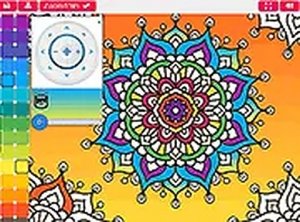
A palette of colors appears on the screen. You pick a hue, then tap or click on the area you want to fill. The color fills that section instantly. You can switch between colors as often as you like, experimenting with different combinations. This straightforward process lets you focus on the creative aspect without complex controls.
Refining Your Artwork
For detailed sections, a zoom function helps you work precisely. If you make a choice you do not like, an undo option reverses the last action. These tools give you control over the final result, allowing for adjustments until you are satisfied. The interface is designed to be intuitive for both children and adults.
Sharing Your Creation
Once a picture is complete, you can save a copy to your device or print it out. This feature lets you keep a personal collection of your work or share it with others. The process does not require any account creation or payment, keeping the experience simple and accessible.


Comments
Sign in to comment
You must be logged in before posting a review or rating.
No account? Create one
No comments yet. Be the first to comment!