Hero 1: Claw and Gear Action
Reviews
Description
Game Introduction
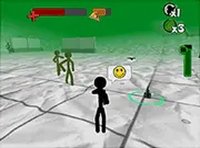
Hero 1: Claw and Gear Action is a free browser-based arcade game where players take on the role of a hero using claw and blade equipment. The main goal is to progress through levels by overcoming all opponents in each stage. This game belongs to the Hero Fight series and delivers a straightforward, fast-paced combat experience. It is designed for quick play sessions, allowing players to jump in and start playing immediately without lengthy tutorials. The action focuses on movement and timing, making it easy to learn but offering depth for those who practice. The game uses WebGL graphics for smooth visuals and runs directly in the browser, so no downloads or installations are needed. Players can enjoy the game on desktop computers with keyboard and mouse controls. Each level presents new groups of opponents to face, and the challenge increases as you advance. The game is optimized for full-screen mode, providing an immersive experience. With its simple controls and clear objective, Hero 1: Claw and Gear Action is suitable for players looking for a quick and engaging action experience.
How to Play
Players control the hero using keyboard and mouse on a desktop computer. Movement around the battlefield is essential to avoid opponent attacks while positioning for strikes. The hero uses claw and blade tools to attack, and the goal is to defeat every opponent in a level to progress. Strategic movement and timely attacks are key to success. The game is browser-based, so no downloads or installations are required—just load the game and start playing. Observing opponent patterns and finding openings to strike will help players advance through the levels.
Game Features
This game is free to play and runs directly in your browser with WebGL graphics for smooth visuals. It supports full-screen mode for an immersive experience and is optimized for desktop computers. Each level presents new groups of opponents to overcome, and the controls are simple to learn. The game does not require any downloads or installations, making it accessible instantly. Players can enjoy quick play sessions without long loading times or setup.
Tips for Success
Focus on moving strategically to avoid opponent attacks while looking for openings to strike. Practice timing your attacks to maximize effectiveness and minimize risk. Learn opponent patterns to anticipate their moves and respond effectively. Taking a moment to observe the battlefield before charging in can help you plan your approach. Regular practice will improve your reflexes and overall performance.