Bean Action Arcade Game

Action
Developer: Delta Force Dev
Published: 2024-11-03
Updated: 2026-06-12

Reviews

Gangsta Bean Action Game delivers a polished arcade experience with simple controls and a variety of weapons and assists. The family-friendly design ensures safe play for all ages. Replay value comes from experimenting with different weapon combinations and assists, making each session feel unique. The game is easy to learn but offers enough depth to keep you engaged.

Description

Game Introduction

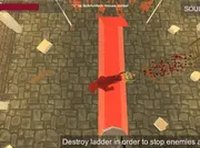
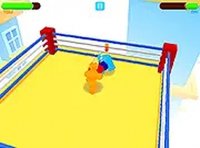
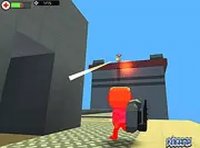
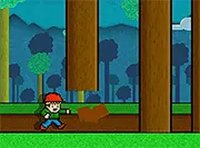
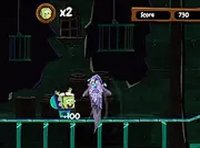
Bean Action Arcade Game is a cheerful arcade experience where you take control of a playful character on a mission. The game combines simple movement and shooting mechanics with a variety of weapons and assists, all wrapped in a family-friendly package. Designed for players of all ages, it offers a safe and entertaining environment where you can explore, aim, and defeat obstacles without any violent or inappropriate content. The vibrant visuals and responsive controls make every session feel fresh and enjoyable.

How to Play

Use the arrow keys to move your character around the screen. Press the spacebar to shoot at enemies or obstacles. For extra power, press G to throw a grenade, or switch between weapons by pressing keys 1 through 6. You can activate special assists by pressing Z, X, C, or V. The controls are easy to learn, allowing you to focus on the fun of the game. Practice your timing and strategy to overcome challenges and advance through levels.

Game Features

Exciting controls that are simple to use. Multiple weapons to choose from, giving you variety in gameplay. Fun assists that add extra layers of strategy. Family-friendly design ensures a safe experience for everyone. Easy to pick up but offers depth for those who want to master its mechanics.

Tips for Success

To succeed in Bean Action Arcade Game, practice your aim and movement to efficiently defeat obstacles. Experiment with different weapons and assists to find combinations that suit your playstyle. Timing is key when using grenades and special abilities, so learn the patterns of enemies and obstacles. Take breaks to maintain focus, and gradually increase your speed as you become more comfortable with the controls.
Compatibility

✅ Works on PC & Mobile | Recommended: Chrome / Safari / Edge
Faq
Is Bean Action Arcade Game available on mobile devices?
The game is primarily designed for desktop or laptop computers with a keyboard, as it uses arrow keys and number keys for controls. Mobile availability may vary, and players should check the official store or platform for specific device support.
Can I play Bean Action Arcade Game offline?
Typically, arcade games of this type can be played offline once downloaded or accessed through a local file. However, some features like leaderboards or updates may require an internet connection. Check the game's settings or platform for offline mode options.
Does the game have a story mode or just endless levels?
Based on the game's description, it includes levels that players can advance through by overcoming challenges. Whether it has a narrative story or is purely level-based is not specified, but many action arcade games offer a series of stages with increasing difficulty.
Are there different difficulty levels in Bean Action Arcade Game?
The available information does not specify difficulty levels, but action arcade games often include adjustable difficulty settings or a natural progression from easy to harder stages. Players can expect the game to become more challenging as they advance.
Can I customize my character in the game?
Character customization is not mentioned in the game's description. The focus is on gameplay mechanics like movement, shooting, and using weapons/assists. Some similar games may offer cosmetic options, but this is not confirmed for Bean Action Arcade Game.
Is there a multiplayer mode in Bean Action Arcade Game?
The game is described as a single-player arcade experience with no mention of multiplayer features. Players control a single character and progress through levels alone. For multiplayer, you may need to look for other games in the same genre that support it.
Advertisement